June 15, 2025
Collaborative Recipe Sharing Guide for Effortless Cooking

Keeping track of recipes from Instagram, TikTok, food blogs, and YouTube feels like herding cats. You screenshot one dish, bookmark another, and email yourself a third, only to forget where everything lives when dinner time rolls around. Collaborative recipe sharing solves this chaos by creating a unified digital space where you and your cooking crew can collect, organize, and access recipes from any source without the headache of manual entry. This guide walks you through the tools you need, the setup process, common pitfalls to avoid, and how to measure success so your shared collection becomes your kitchen's best friend.
Table of Contents
- What You Need To Start Collaborative Recipe Sharing
- Step-By-Step Guide To Sharing And Organizing Recipes Collaboratively
- Common Mistakes And Troubleshooting Tips In Collaborative Recipe Sharing
- What To Expect And How To Verify The Success Of Your Collaborative Recipe Sharing
- Discover Mixova For Seamless Recipe Importing And Sharing
- Frequently Asked Questions
Key takeaways
| Point | Details |
|---|---|
| Traditional methods fail | Scattered screenshots, bookmarks, and emails create confusion and wasted time searching for recipes. |
| Essential digital tools | Platforms that import recipes from URLs eliminate manual typing and standardize ingredient lists automatically. |
| Structured execution matters | Invite collaborators, establish guidelines, categorize recipes, and review regularly for best results. |
| Common challenges exist | Duplicates, inconsistent formatting, and access issues require proactive management and clear conventions. |
| Measurable success indicators | Faster meal prep, increased cooking variety, and positive collaborator feedback signal an effective system. |
What you need to start collaborative recipe sharing
Before diving into collaborative recipe sharing, you need the right foundation. Start by identifying what features matter most in a recipe sharing tool. Look for platforms that accept direct URL imports, support multiple contributors, offer categorization options, and sync across devices. These capabilities determine whether your system feels effortless or becomes another chore.
Digital tools like Mixova stand out because they import recipes from any URL eliminating manual entry. Instead of copying ingredients line by line or retyping instructions, you paste a link and the platform extracts everything automatically. This saves hours and reduces errors that creep in during manual transcription. The tool also normalizes ingredient lists to match your pantry, making meal planning smoother.
Choosing a platform accessible to all collaborators is critical. If half your group uses iPhones and the other half uses Android devices, pick a solution with web and mobile app versions. Everyone should access the shared collection without technical barriers or compatibility headaches. Check that the platform allows multiple users to add, edit, and view recipes simultaneously without overwriting each other's work.
You'll need reliable internet connectivity and devices for each collaborator. Smartphones work perfectly since most recipe discoveries happen while scrolling social media or browsing food blogs on mobile. A tablet or laptop helps when organizing large collections or setting up initial categories and tags.
Organizing recipes in a unified digital format delivers immediate benefits. You eliminate the frustration of searching through text messages, email threads, and random screenshots. Your entire cooking crew sees the same updated collection in real time. When someone discovers a killer pasta recipe on TikTok, they add it instantly and everyone gains access. This centralized approach transforms scattered chaos into organized efficiency.
Pro Tip: Before inviting collaborators, create 5 to 7 starter categories like Weeknight Dinners, Meal Prep, Desserts, and Holiday Cooking. This structure guides contributors and prevents the collection from becoming an unorganized dump.
| Feature | Why It Matters |
|---|---|
| URL import | Eliminates manual typing and transcription errors |
| Multi-user access | Allows simultaneous contributions without conflicts |
| Cross-device sync | Ensures everyone sees updates regardless of device |
| Categorization | Makes finding specific recipes fast and intuitive |
| Ingredient normalization | Standardizes measurements and pantry matching |
Step-by-step guide to sharing and organizing recipes collaboratively
With your tools assembled, let's build an efficient collaborative recipe system from the ground up. Start by creating a shared digital space using your chosen platform. This becomes the single source of truth for all recipes. Set up the account, configure basic settings, and test the import function with a few sample recipes to confirm everything works smoothly.

Next, invite your collaborators and establish contribution guidelines upfront. Decide together on naming conventions, required fields like prep time and servings, and which sources are acceptable. Clear expectations prevent confusion later. For example, agree that recipe titles should include the main ingredient and cooking method, like "Garlic Butter Shrimp Pasta" instead of vague names like "Mom's Recipe."
Import recipes using tools that accept URLs to avoid the tedium of manual data entry. When someone finds a recipe worth sharing, they copy the webpage link and paste it into the platform. The system extracts ingredients, instructions, cooking times, and often images automatically. This recipe import workflow with Mixova takes seconds compared to the 10 to 15 minutes required for manual entry.
Organize recipes by categories or tags for easy access. Create broad categories first, then add specific tags for dietary preferences, cuisine types, or occasions. A single recipe might live in "Dinner" but carry tags like "Vegetarian," "Italian," and "Under 30 Minutes." This multi-layered organization lets collaborators filter and find exactly what they need without scrolling through hundreds of entries.
Review and update the collection regularly for accuracy and completeness. Schedule monthly check-ins where the group removes recipes that didn't work out, adds notes about modifications that improved dishes, and fills gaps in the collection. Maybe you realize you have 20 chicken recipes but zero fish options. This ongoing maintenance keeps the collection relevant and useful.
Pro Tip: Assign each collaborator a "specialty zone" based on their cooking strengths. One person curates breakfast recipes, another handles desserts, and a third focuses on quick weeknight meals. This division of labor prevents overlap and ensures comprehensive coverage.
- Create your shared digital recipe space and configure basic settings
- Invite collaborators and agree on contribution guidelines and naming conventions
- Import initial recipes using URL extraction to build your foundation collection
- Establish categories and tags that reflect how your group actually cooks and plans meals
- Set a regular review schedule to remove duds, add notes, and identify collection gaps
- Encourage everyone to add at least one new recipe monthly to keep variety flowing
Common mistakes and troubleshooting tips in collaborative recipe sharing
Even well-planned systems hit snags. Understanding these pitfalls helps you course-correct quickly and maintain a smooth collaborative experience. Watch out for duplicates when multiple people add the same viral recipe from different sources. This happens frequently with trending TikTok or Instagram dishes that everyone discovers simultaneously. Implement a quick search rule where contributors check if a recipe already exists before adding it.
Maintaining consistent naming and formatting conventions requires ongoing attention. Without enforcement, you'll end up with "Chocolate Chip Cookies," "choc chip cookies," and "Best CC Cookies Ever" all referring to similar recipes. Create a simple style guide that covers capitalization, abbreviation rules, and required information fields. Share this document with all collaborators and reference it when inconsistencies appear.
Ensuring all collaborators have proper access permissions prevents frustration and bottlenecks. Some platforms default to view-only access for new members, requiring manual permission upgrades. Verify that everyone can add, edit, and organize recipes, not just view them. Test permissions by having each person add one recipe immediately after joining.
Common issues include duplicate entries, inconsistent formatting, and access problems that derail even enthusiastic groups. Regular communication helps catch these early. Create a group chat or channel dedicated to recipe collection updates where people can ask questions, report issues, and share wins.
Regularly back up the recipe database to protect against accidental deletions or platform failures. Most apps offer export functions that save your collection as a file. Schedule quarterly backups and store them in cloud storage like Google Drive or Dropbox. This insurance policy means you never lose months of curation work.
Use app features or settings to resolve syncing conflicts when two people edit the same recipe simultaneously. Quality platforms track version history and let you compare changes or revert to earlier versions. Familiarize yourself with these tools before conflicts arise so you can troubleshoot confidently.
- Implement a pre-add search to catch duplicates before they multiply
- Create and share a brief style guide covering naming and formatting standards
- Verify edit permissions for all collaborators immediately after inviting them
- Schedule quarterly database exports to cloud storage as backup insurance
- Learn your platform's version control features before conflicts happen
"The biggest mistake groups make is assuming everyone naturally organizes information the same way. Explicit guidelines and regular check-ins transform chaos into collaboration."
What to expect and how to verify the success of your collaborative recipe sharing
After investing time in setup and maintenance, you deserve to see tangible results. Indicators of a successful collaborative recipe system include reduced time spent searching for recipes, increased cooking variety in your household, and enthusiastic participation from collaborators. When someone texts the group "I'm making that Thai curry from the collection tonight" without asking where to find it, you've achieved seamless integration.
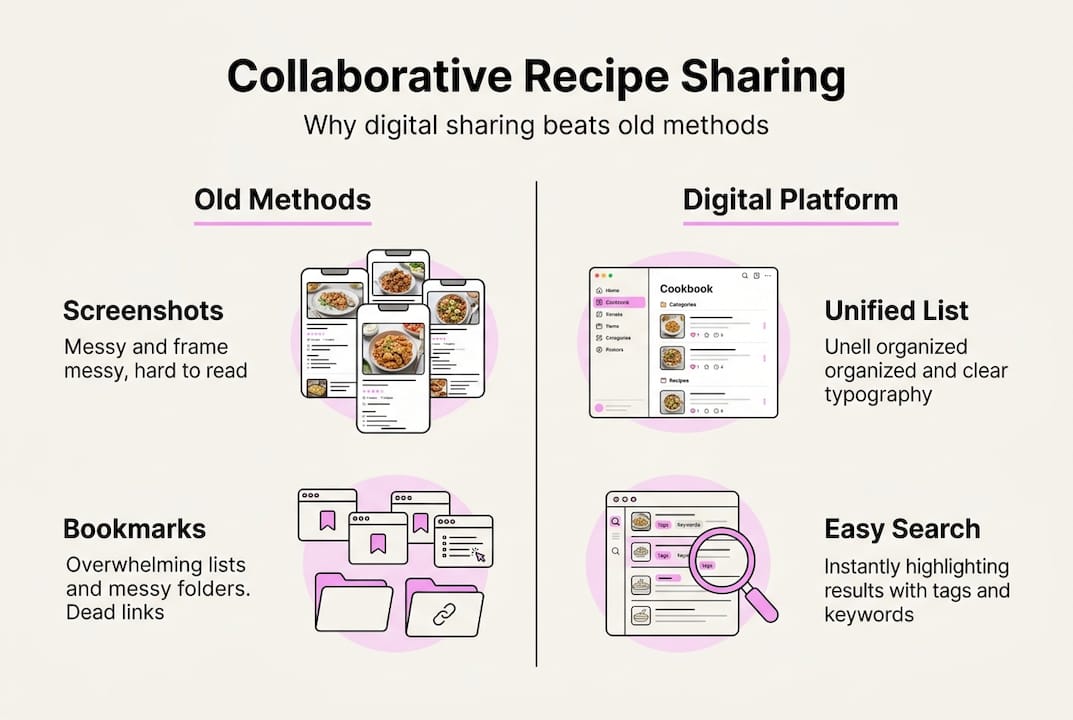
Comparing traditional versus digital collaborative methods reveals dramatic differences. Traditional approaches like shared Pinterest boards, group texts, or email chains scatter information across platforms and bury older recipes under new content. Digital recipe platforms centralize everything, offer powerful search and filter functions, and maintain accessibility regardless of how much content you add.
| Traditional Method | Digital Collaborative Platform |
|---|---|
| Recipes scattered across texts, emails, bookmarks | Single centralized location with universal access |
| Manual copying of ingredients and instructions | Automatic URL import extracts all recipe data |
| No search or filter capabilities | Powerful search by ingredient, tag, or category |
| Difficult to track who added what | Clear attribution and contribution history |
| No backup or version control | Automatic syncing and version history |
Gather feedback from contributors quarterly to assess satisfaction and identify improvement opportunities. Create a simple survey asking what's working, what's frustrating, and what features or categories they wish existed. This input guides your evolution and keeps everyone invested in the system's success.
Keeping the collection up to date and relevant requires active curation, not just passive accumulation. Remove recipes that consistently disappoint or that no one has made in six months. Add seasonal collections for holidays or summer grilling. Feature a "recipe of the week" that encourages people to try something new from the shared library. These small touches maintain momentum and prevent the collection from becoming stale.
Track metrics that matter to your group. Maybe you measure how many new recipes you try monthly, how often you cook together, or how much money you save by meal planning from the shared collection. Celebrating these wins reinforces the value of your collaborative system and motivates continued participation.
- Reduced search time signals effective organization and accessibility
- Increased cooking variety indicates the collection serves diverse needs and preferences
- Active participation from all collaborators shows the system delivers value to everyone
- Positive feedback and feature requests demonstrate engagement and investment
- Regular recipe trials from the collection prove it influences actual cooking behavior
Discover Mixova for seamless recipe importing and sharing
If you're ready to transform how you collect and share recipes with your cooking crew, Mixova offers a streamlined solution designed specifically for home cooks who value efficiency. The platform eliminates the tedious manual entry that kills enthusiasm for recipe organization. Instead, you simply paste any recipe URL from Instagram, TikTok, YouTube, food blogs, or cooking websites, and Mixova extracts all the details automatically.
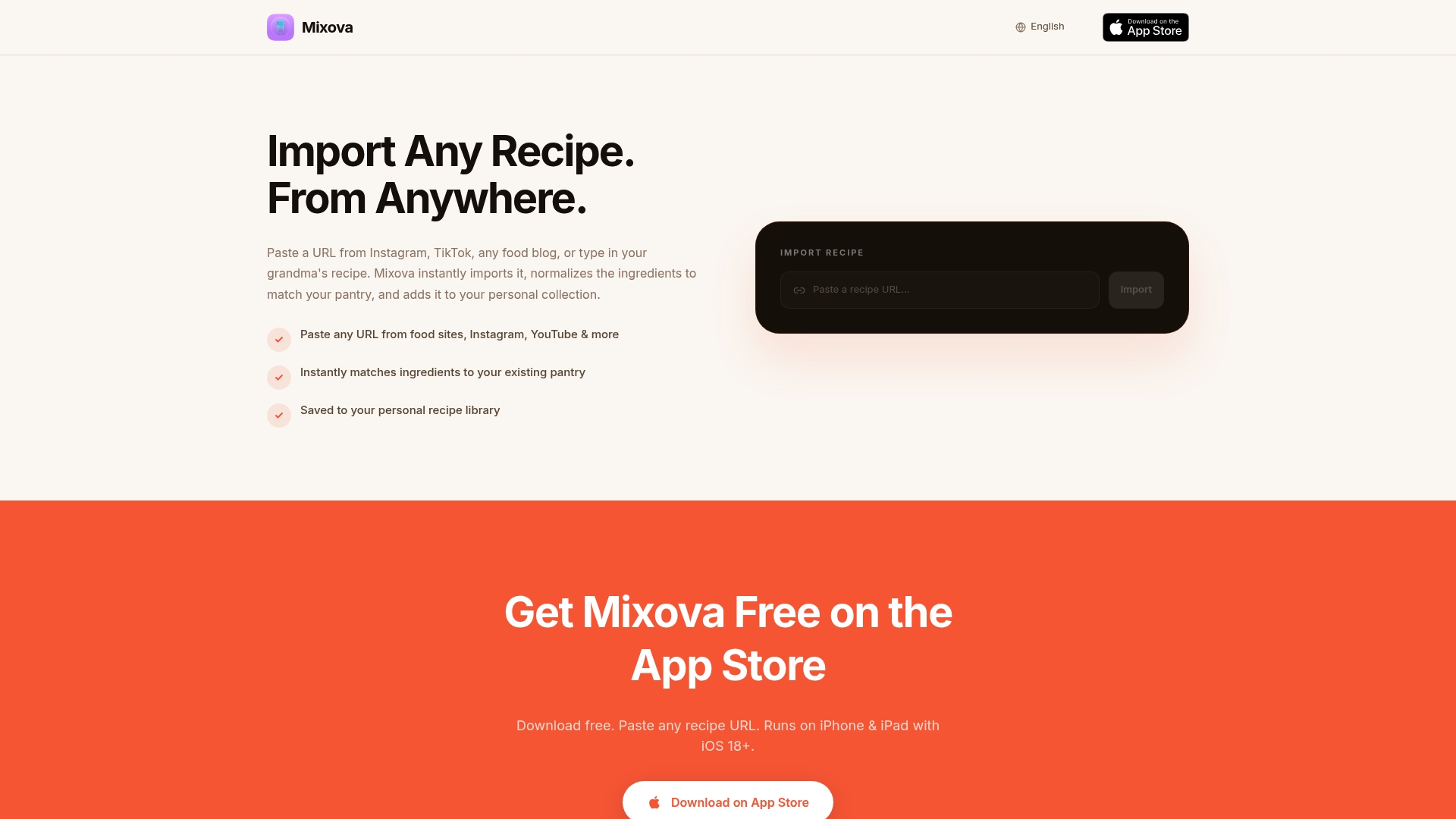
Designed for collaborative cooking, the Mixova recipe import app makes it effortless to build a shared collection that everyone can access and contribute to without technical headaches. The iPhone app brings this convenience to your pocket, letting you capture recipe inspiration the moment you discover it while scrolling through social feeds or browsing websites. The recipe import workflow with Mixova takes seconds, not minutes, freeing you to focus on actual cooking instead of data entry. Whether you're coordinating meal prep with roommates, sharing family favorites across generations, or building a cookbook with your cooking club, Mixova turns scattered recipe chaos into organized culinary creativity.
Frequently asked questions
How do I start a collaborative recipe collection with friends or family?
Choose a shared digital platform that supports multiple users and invite your collaborators to join by sending them access links or invitations. Establish basic guidelines for contributions covering naming conventions, required fields, and acceptable sources before anyone starts adding recipes. This upfront agreement prevents confusion and ensures consistency from day one.
What if someone adds duplicate recipes by mistake?
Regularly review the collection during monthly or quarterly check-ins to identify and merge duplicate entries. Use your platform's search function to find similar recipe names, then compare them to determine if they're truly duplicates or variations worth keeping separately. Agree on naming conventions that make duplicates easier to spot, and encourage contributors to search before adding new recipes.
Can I share recipes from any website easily?
Yes, specialized apps can extract recipe details from virtually all cooking websites automatically without manual copying. Tools like Mixova import recipes from any URL automatically, handling everything from mainstream food blogs to social media posts. The Mixova recipe import app recognizes recipe formats across thousands of sites, making the process truly universal and effortless.
How do I keep everyone engaged in the shared recipe collection?
Regularly update recipes with notes about modifications, cooking results, and serving suggestions to show the collection is actively used and valued. Encourage feedback by creating a group chat where people share photos of dishes they've made and discuss what worked or flopped. Organize themed cooking challenges like "Taco Tuesday Trials" or "Dessert of the Month" that motivate people to explore the collection and contribute new finds.
Try Mixova for free
Import any recipe from Instagram, TikTok, or any food blog in seconds.