March 24, 2026
Unlock the Benefits of Instant Recipe Imports for Home Cooks

You've probably got recipe screenshots scattered across your phone, bookmarks buried in folders, and handwritten notes tucked into cookbooks. This chaotic mix makes finding that perfect pasta recipe feel like searching for a needle in a haystack. Instant recipe imports solve this frustration by automatically organizing, tagging, and storing recipes from any source into a searchable digital library. Whether you're pulling recipes from Instagram, food blogs, or your grandmother's handwritten cards, modern import tools use AI to extract ingredients, instructions, and cooking times in seconds. This transformation from scattered chaos to organized clarity changes how you plan meals, discover new dishes, and actually enjoy cooking without the pre-meal scramble.
Table of Contents
- Key takeaways
- How instant recipe imports transform your kitchen organization
- Sources supported and technological underpinnings of instant recipe import tools
- Common challenges and best practices when using instant recipe imports
- Why instant recipe imports boost sustainability and culinary creativity
- Try Mixova for effortless recipe imports and management
- Frequently asked questions about instant recipe imports
Key Takeaways
| Point | Details |
|---|---|
| Instant tagging and filtering | Automated imports categorize recipes and let you filter by ingredients, time, and cuisine so you can find matches quickly. |
| Diverse source support | Tools pull from social media, blogs, and handwritten notes via AI to create a unified digital library. |
| Occasional parsing errors | Some extractions may require manual review to correct ingredients or cooking times. |
| Batch import efficiency | Importing recipes in batches saves time and keeps tagging consistent across your collection. |
How instant recipe imports transform your kitchen organization
The shift from chaotic screenshots to structured digital libraries happens through automated systems that extract, categorize, and index recipe data instantly. When you import recipes from any URL, the technology behind these tools parses HTML, identifies recipe components, and applies intelligent tagging based on ingredients, cooking methods, and cuisine types. This automation means you spend seconds importing instead of minutes typing, and the resulting database becomes infinitely more useful than a camera roll full of food photos.
Searchability becomes the game changer. Traditional methods like bookmarks or printed recipes require you to remember where you saved something or flip through pages hoping to spot the right dish. Digital imports with automatic tagging and filtering let you search by any ingredient in your pantry, dietary restriction, or cooking time. Need dairy-free desserts using coconut milk? A quick filter shows every matching recipe instantly. This speed matters because 76% of users access recipes on smartphones, making mobile-optimized organization essential for modern cooking.
The organizational structure extends beyond simple storage. Smart categorization groups recipes by difficulty level, helping beginners find approachable dishes while advanced cooks can filter for complex techniques. Cuisine tags let you explore Thai, Mexican, or Italian cooking without scrolling through unrelated content. Meal type filters separate breakfast ideas from dinner mains, and dietary tags highlight vegan, gluten-free, or low-carb options automatically. This multi-dimensional organization turns your recipe collection into a personalized cooking resource that adapts to whatever you need in the moment.
Pro Tip: Import recipes in batches by cuisine or meal type, then spend 10 minutes tagging them all at once. This workflow keeps your library organized from day one and prevents the backlog of untagged imports that often happens when you save recipes one at a time throughout the week.
- Automated ingredient extraction eliminates manual typing and reduces entry errors
- Smart categorization by cuisine, difficulty, and dietary needs happens instantly
- Mobile access means your entire recipe library travels with you to the grocery store
- Search functionality finds specific dishes in seconds versus minutes of scrolling
Sources supported and technological underpinnings of instant recipe import tools
Modern recipe import technology pulls from an impressive range of sources, making it possible to consolidate your entire cooking knowledge base regardless of where recipes originate. Major food blogs and cooking websites work seamlessly because they use standardized schema markup that import tools recognize instantly. Social media platforms like Instagram, TikTok, and YouTube present more complexity, but import tools support these visual platforms by extracting recipe data from post captions, video descriptions, or linked recipe pages. Even handwritten family recipes become digital through AI-powered Optical Character Recognition that reads your grandmother's cursive and converts it into structured recipe data.

The parsing technology relies on two primary approaches. Schema standards like JSON-LD provide structured data that websites embed specifically for recipe sharing, making extraction straightforward and highly accurate. When structured data isn't available, AI models trained on millions of recipes analyze page content to identify ingredients, instructions, cooking times, and serving sizes. These models understand recipe language patterns, distinguishing between ingredient lists and narrative text, and can even infer missing information like approximate cooking times based on similar dishes. The combination of schema parsing and AI analysis creates robust import capabilities that handle most recipe formats you'll encounter.
Privacy-focused users often choose self-hosted solutions that keep recipe data on personal servers rather than cloud platforms. These self-hosted recipe managers offer complete data control but occasionally require manual review when parsing encounters unusual formatting. Commercial apps typically use cloud processing for faster imports and cross-device syncing, with varying privacy policies regarding recipe data storage and usage. Understanding these technological trade-offs helps you choose tools that match your comfort level with data sharing.
Edge cases reveal technology limitations worth knowing. Complex website layouts with recipes embedded in long blog posts sometimes confuse parsers, requiring manual cleanup of extracted text. Video-only recipes without text descriptions may need transcription before import. Some AI systems occasionally swap similar ingredients, like confusing shallots for onions or suggesting alternative measurements that don't match the original recipe. These parsing challenges occur infrequently but highlight why reviewing imported recipes before cooking remains important.
"The best recipe import tools combine automated extraction with easy editing, recognizing that technology handles 90% of the work while human review catches the remaining details that matter for cooking success."
- Check if your favorite recipe sites use schema markup for best import accuracy
- Test imports from various sources to understand your tool's strengths and limitations
- Keep original URLs saved with imported recipes for reference if questions arise
- Use OCR features for handwritten recipes but plan to verify measurements and temperatures
- Review ingredient lists immediately after import while the original recipe is still open
Common challenges and best practices when using instant recipe imports
Parsing failures happen most often with websites that prioritize visual design over structured data. Recipe blogs with heavy advertising, pop-ups, or non-standard formatting can confuse import algorithms, resulting in incomplete ingredient lists or missing instructions. Video-first content from platforms like TikTok presents unique challenges because recipe details might appear briefly on screen rather than in accessible text. When imports fail or produce garbled results, the solution usually involves either finding an alternative source for the same recipe or falling back to manual entry for that specific dish.
AI ingredient hallucinations represent a subtle but important accuracy concern. Machine learning models trained on recipe data sometimes make educated guesses when parsing ambiguous text, occasionally substituting ingredients they consider equivalent or correcting what they perceive as errors in the original recipe. A recipe calling for "1 cup flour" might import as "1 cup all-purpose flour" based on the AI's assumptions about context. While these changes often make sense, they can alter recipe outcomes, especially in baking where precision matters. Checking imported recipes against originals catches these modifications before they affect your cooking.
Low-confidence imports deserve special attention. Many import tools assign confidence scores to parsed recipes, flagging those below 85% accuracy for manual review. These scores reflect the parser's certainty about extracted data, with lower scores indicating ambiguous formatting, unusual recipe structures, or conflicting information on the source page. Reviewing flagged imports takes extra time but prevents cooking disasters from incorrect measurements or missing steps. Think of confidence scores as quality indicators that help you prioritize which imports need verification.
Pro Tip: Create a hybrid workflow where you import recipes digitally but print favorites for everyday use. This approach gives you the organizational benefits of digital libraries while maintaining the convenience of physical recipes that don't require unlocking your phone with messy hands during cooking.
- Import recipes immediately when you find them rather than bookmarking for later
- Use batch editing features to standardize measurement formats across your library
- Tag recipes with personal notes like "family favorite" or "needs adjustment" after cooking
- Set aside 15 minutes weekly to review and clean up recent imports
- Export backup copies of your recipe library monthly to prevent data loss
| Challenge | Digital Solution | Paper Alternative |
|---|---|---|
| Parsing errors | Edit imported recipes with built-in tools | No parsing needed but requires manual copying |
| Source variety | Handles websites, social media, handwritten notes | Limited to printed or handwritten sources |
| Organization | Automatic tagging and searchability | Manual filing and indexing required |
| Access speed | Instant search across thousands of recipes | Physical searching through books or folders |
| Storage limits | Unlimited digital capacity | Physical space constraints |
| Backup security | Cloud syncing prevents loss | Vulnerable to damage or misplacement |
Why instant recipe imports boost sustainability and culinary creativity
Digital recipe management directly reduces food waste through better meal planning capabilities. When your entire recipe collection is searchable by ingredient, you can quickly find dishes that use up items already in your pantry before they spoil. Planning weekly menus becomes faster when you filter recipes by cooking time, dietary needs, and available ingredients simultaneously. This efficiency means less food thrown away because you forgot about ingredients or couldn't find recipes to use them. The environmental impact extends beyond your kitchen, as reduced food waste means less methane from landfills and lower carbon footprints from food production.
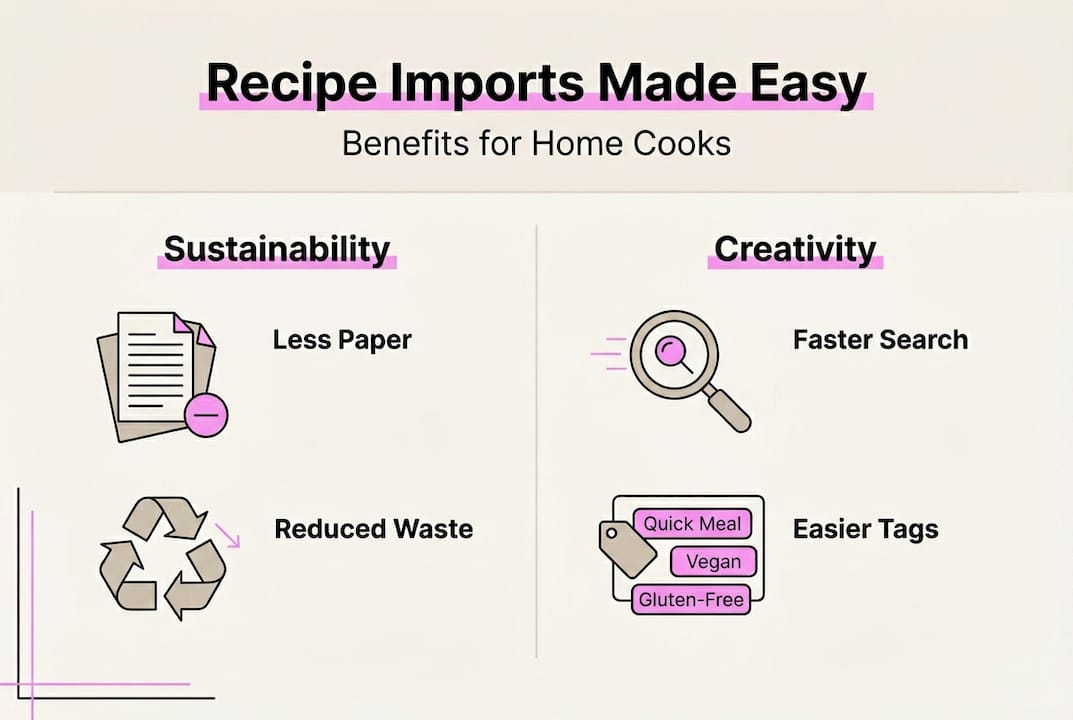
Storage advantages eliminate the physical and preservation challenges of paper recipes. Cookbooks take up shelf space, magazine clippings yellow and tear, and handwritten cards fade or get damaged by kitchen spills. Digital imports create permanent, searchable archives that never degrade. You can store thousands of recipes in an app that fits on your phone, accessing your entire collection whether you're at home, at the grocery store, or traveling. This unlimited capacity encourages collecting diverse recipes without worrying about physical storage limits or organization systems.
Accuracy improvements in AI parsing make digital imports increasingly reliable. Structured recipe data achieves up to 92% parsing accuracy, meaning most imports require minimal editing. This reliability transforms recipe collection from a tedious manual process into an effortless habit. When importing takes seconds and produces accurate results, you're more likely to save interesting recipes you encounter, building a larger and more diverse cooking repertoire over time. The reduced friction between discovery and storage directly impacts how adventurous you become in the kitchen.
Culinary creativity flourishes when accessing new recipes becomes effortless. Instant imports let you quickly save dishes from food bloggers, social media chefs, or cooking shows without interrupting your browsing flow. This ease of collection encourages exploring cuisines and techniques outside your comfort zone. You might import a Thai curry recipe while scrolling Instagram, a French pastry technique from YouTube, and a Caribbean seasonal cooking guide from a specialty blog, all in minutes. Your digital library becomes a culinary education resource that grows with your interests and skills.
- Digital recipes enable sharing favorite dishes with friends via simple links or exports
- Version control features let you track recipe modifications and improvements over time
- Integration with shopping list apps streamlines grocery planning based on selected recipes
- Cross-device syncing means recipe access from phones, tablets, or computers seamlessly
| Feature | Digital Recipe Imports | Paper Recipe Books |
|---|---|---|
| Search speed | Instant keyword and ingredient search | Manual page-by-page browsing |
| Storage capacity | Unlimited with cloud backup | Limited by physical space |
| Sharing ability | One-click sharing via links | Photocopying or rewriting required |
| Update flexibility | Easy editing and version tracking | Requires rewriting or annotations |
| Portability | Entire library on mobile device | Carrying multiple books or papers |
| Durability | Permanent digital storage | Vulnerable to spills, tears, fading |
| Environmental impact | Zero paper waste | Ongoing paper consumption |
| Meal planning integration | Direct links to shopping lists and prep workflows | Manual list creation required |
Try Mixova for effortless recipe imports and management
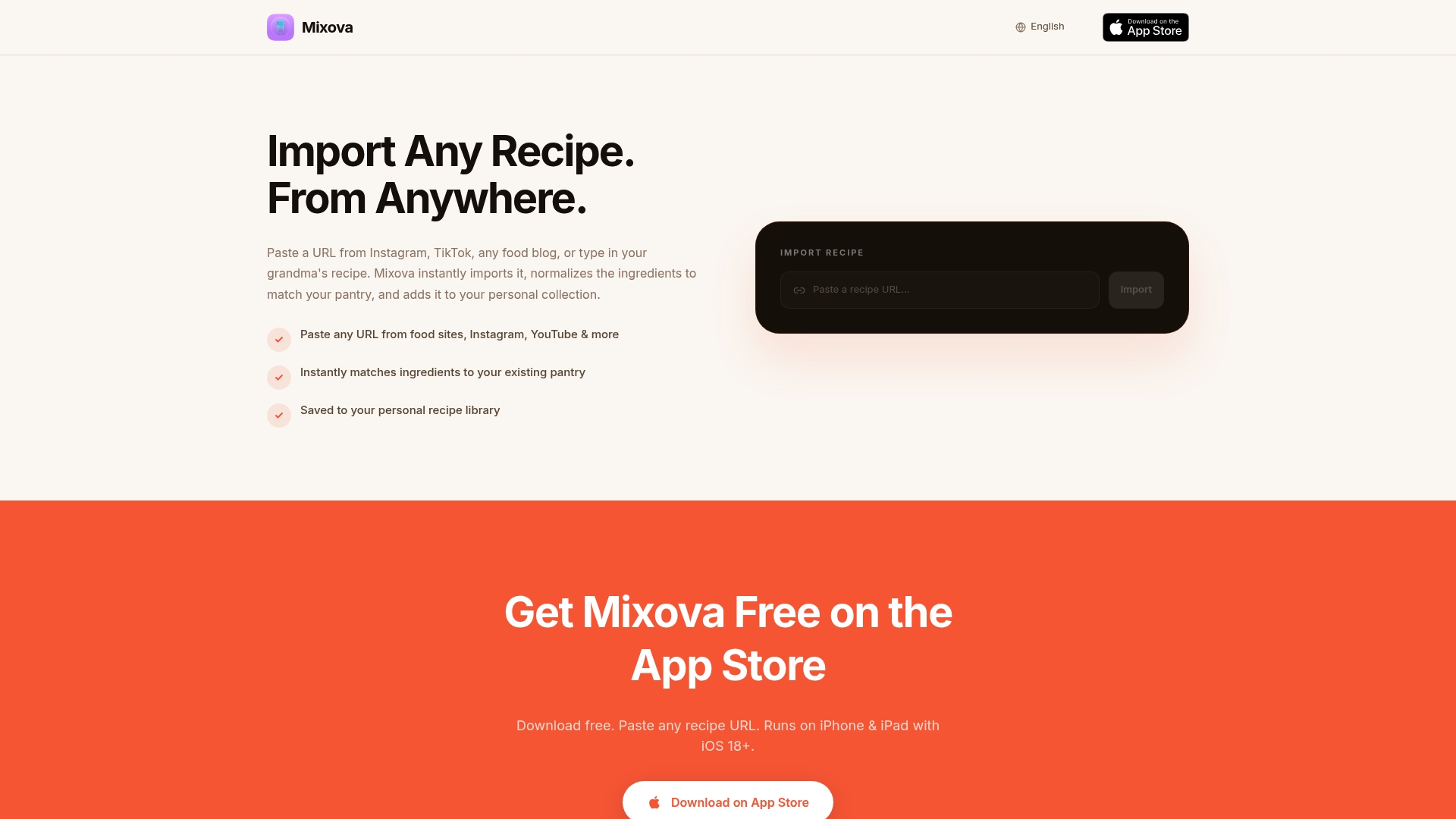
Experiencing the transformation from scattered recipe chaos to organized digital clarity starts with trying tools designed specifically for home cooks who value efficiency. Mixova brings instant recipe importing directly to your iPhone, letting you save any recipe with a single tap while browsing food blogs, social media, or cooking websites. The app handles extraction, formatting, and organization automatically, so you focus on cooking rather than data entry.
The editing and tagging features give you control over your growing recipe library. After importing, you can adjust ingredients, add personal notes, or tag recipes with custom categories that match how you actually cook. Whether you organize by cuisine, occasion, or family preferences, the flexible tagging system adapts to your needs. Syncing keeps your entire collection accessible across devices, meaning recipe access wherever you need it, from kitchen counters to grocery store aisles. Home cooks who've made the switch report spending less time searching for recipes and more time actually cooking, with organized libraries that grow effortlessly as they discover new dishes worth trying.
Frequently asked questions about instant recipe imports
How accurate are instant recipe imports?
Parsing accuracy reaches up to 92% with structured input from well-formatted recipe sites. Most imports capture ingredients, instructions, and cooking times correctly, though complex layouts or unusual formatting may require quick manual review. Checking imported recipes before cooking ensures accuracy and catches any parsing quirks.
Can I import recipes from social media platforms?
Yes, modern import tools support Instagram, TikTok, YouTube, and other social platforms where recipes appear. The technology extracts recipe data from post captions, video descriptions, or linked pages. Social media imports sometimes need more review than website imports because recipe information may be less structured.
What should I do if an imported recipe has errors?
Most recipe import apps include editing features that let you fix mistakes after import. Review the ingredient list and instructions, comparing them to the original source if needed. Editing takes seconds and ensures your saved recipe matches the creator's intent, preventing cooking mishaps from parsing errors.
Are handwritten recipes supported by import tools?
Some tools use AI-powered Optical Character Recognition to import handwritten notes and recipe cards. The technology reads cursive and print handwriting, converting it to digital text. Handwritten imports typically need more manual verification than website imports because handwriting recognition isn't as accurate as parsing structured digital data.
Is instant import better than manual recipe entry?
Instant import saves significant time and reduces typing errors compared to manual entry. For speed and convenience, automated importing wins clearly. However, manual review after import remains valuable for catching parsing errors and ensuring accuracy. The best approach combines automated importing with quick verification before you start cooking.
How do I organize imported recipes effectively?
Batch importing followed by immediate tagging creates the most organized library. Import multiple recipes at once, then spend a few minutes applying tags for cuisine, meal type, difficulty, and dietary needs. This workflow prevents backlogs of untagged recipes and makes your collection searchable from the start. Regular maintenance keeps organization current as your library grows.
Try Mixova for free
Import any recipe from Instagram, TikTok, or any food blog in seconds.